As an Independent Contractor with Soothe, it’s important to keep your Stripe account details accurate and up to date to prevent any delays. You will receive a 1099 if you have earned a minimum of $600 during the tax period.
If an update is required, all changes must be submitted no later than January 15, 2026.
Follow the steps below to log into your Stripe account, update your personal details.
How to Log into Your Stripe Account
1. Access Your Account:
• Log in to your Soothe account via the app or web portal.
• Select the Stripe Payout tab from your account menu.
2. Verify Your Email:
• Confirm the email address registered for your Stripe account. This ensures you can log in seamlessly.
3. Log Into Stripe:
• Once redirected to Stripe, enter your login credentials.
• Navigate to the Personal Details section to update your address or other information as needed.
As an Independent Contractor, you will receive a 1099 form if you earn a minimum of $600 during the tax period.
Understanding Your Earnings
If your earnings appear inconsistent, don’t worry! Here’s why:
• The system categorizes earnings based on the date payouts are processed into your account, not the date the services were performed.
• Payout timings may vary if you’ve worked with spa staffing, events, or corporate wellness partners.
Avoiding Processing Delays
To ensure timely payouts, double-check that your information in the app or web portal is accurate and up to date. Regularly review your details, such as your email address, banking information, and personal details, to prevent any interruptions.
By keeping your Stripe account and Soothe profile up to date, you’ll ensure a smoother payout process and timely receipt of your earnings!
If there appears to be a discrepancy in your earnings, don't worry!
The system categorizes earnings as the time each amount was paid into your account, rather than the date it was earned.
Keep in mind that if you have worked with spa staffing, events, or corporate wellness partners, payout timings may vary.
To avoid any processing delays, please log in to your app or web portal to confirm all information is accurate.
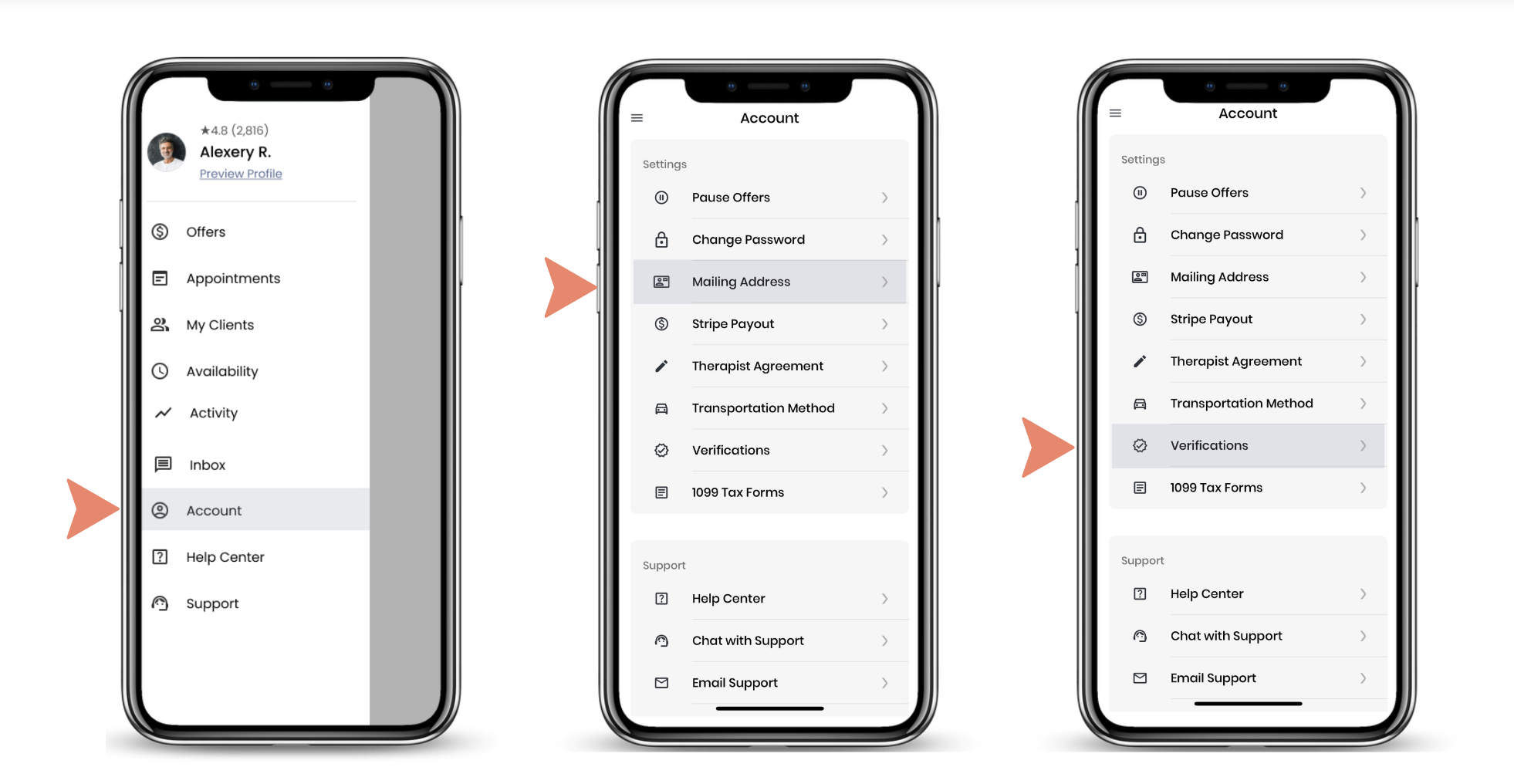
Click here for a step by step guide to downloading your forms.